
主题
提示词(Prompts)指导着大语言模型(LLM)的行为。提示工程 是指精心设计、测试和完善你提供给 LLM 的指令,使其产生可靠且有用的响应的过程。
LangSmith 提供了用于创建、版本控制、测试和协作处理提示词的工具。你还会遇到一些常见概念,例如 提示词模板,它允许你复用结构化的提示词;以及 变量,它允许你将值(例如用户的问题)动态插入到提示词中。
在本快速入门中,你将使用 UI 或 SDK 来创建、测试和改进提示词。本快速入门将使用 OpenAI 作为示例 LLM 提供商,但相同的工作流程适用于其他提供商。
如果你更喜欢观看关于提示工程入门的视频,请参考快速入门的 视频指南。
先决条件
开始之前,请确保你具备:
- 一个 LangSmith 账户:在 smith.langchain.com 注册或登录。
- 一个 LangSmith API 密钥:请遵循 创建 API 密钥 指南。
- 一个 OpenAI API 密钥:从 OpenAI 控制台 生成。
选择 UI 或 SDK 工作流程的标签页:
UI
SDK
1. 设置工作区密钥
在 LangSmith UI 中,请确保您的 OpenAI API 密钥已设置为 工作区密钥。
- 导航至 设置,然后转到 密钥 选项卡。
- 选择 添加密钥,输入
OPENAI_API_KEY作为密钥,并将您的 API 密钥填入 值 字段。 - 选择 保存密钥。
在 LangSmith UI 中添加工作区密钥时,请确保密钥名称与您的模型提供商所期望的环境变量名称相匹配。
2. 创建提示词
- 在 LangSmith UI 中,导航到左侧菜单的 Prompts 部分。
- 点击 + Prompt 来创建一个提示词。
- 根据需要编辑或添加提示词和输入变量来修改提示词。
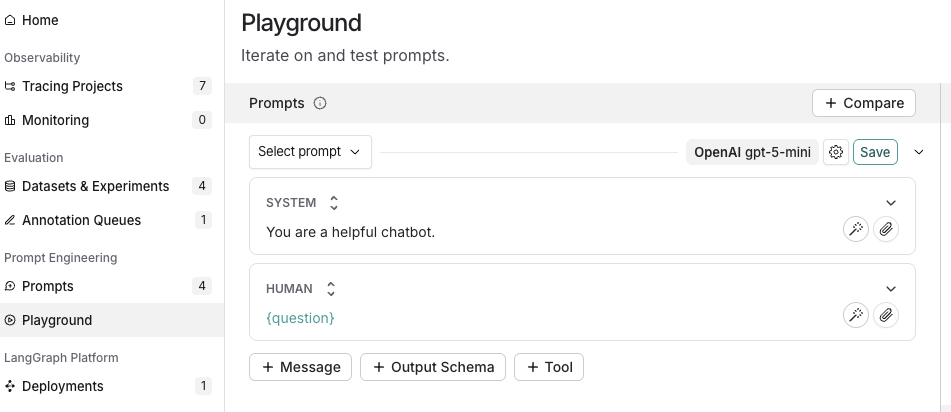
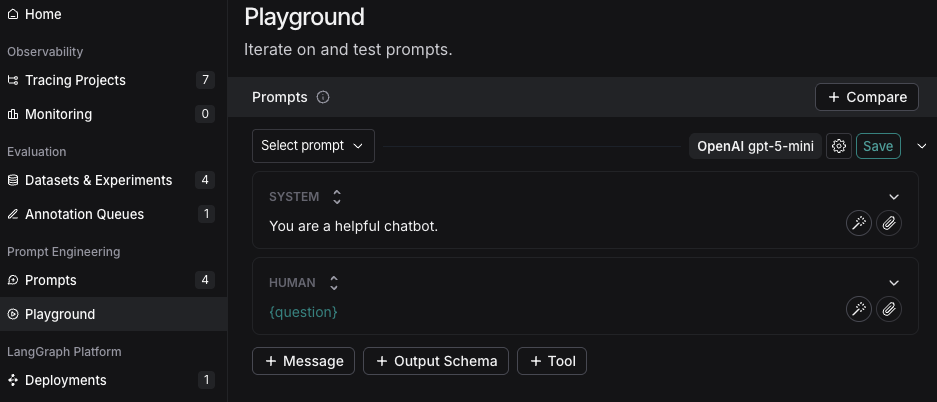
3. 测试提示词
- 在 Prompts 标题下,选择模型名称旁边的齿轮 图标,这将在 Model Configuration 标签页中启动 Prompt Settings 窗口。
- 设置你想要使用的 模型配置。你选择的 Provider 和 Model 将决定此配置页面上可配置的参数。设置完成后,点击 Save as。
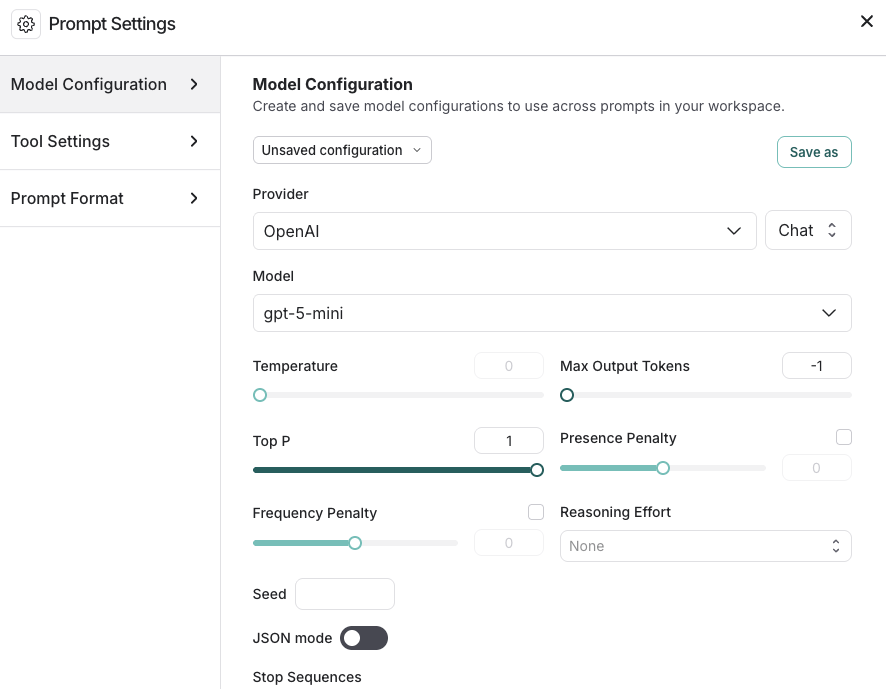
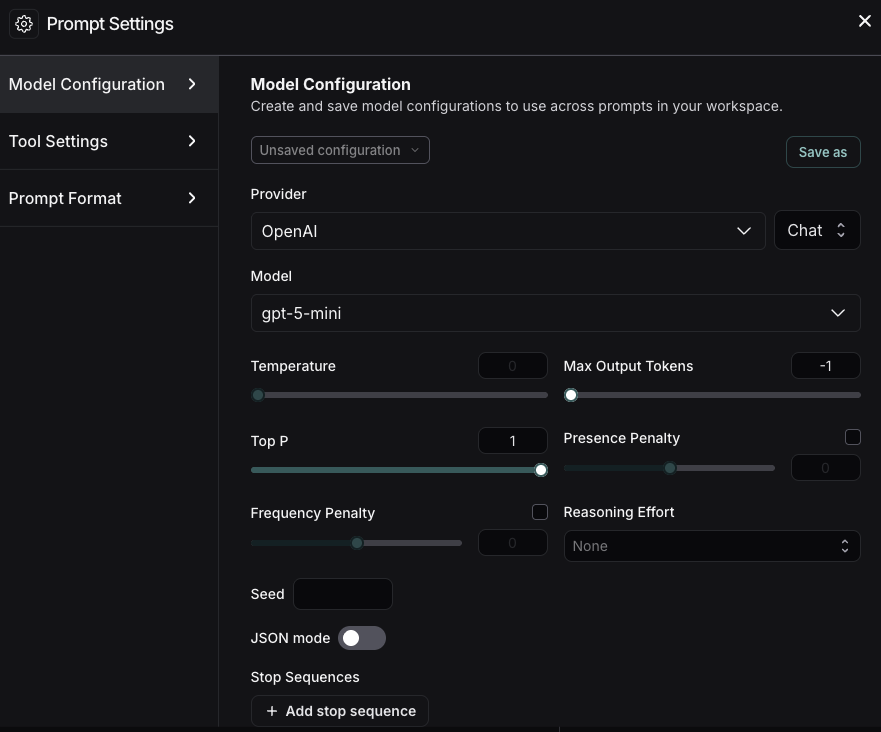
- 在 Inputs 框中指定你想要测试的输入变量,然后点击 Start。
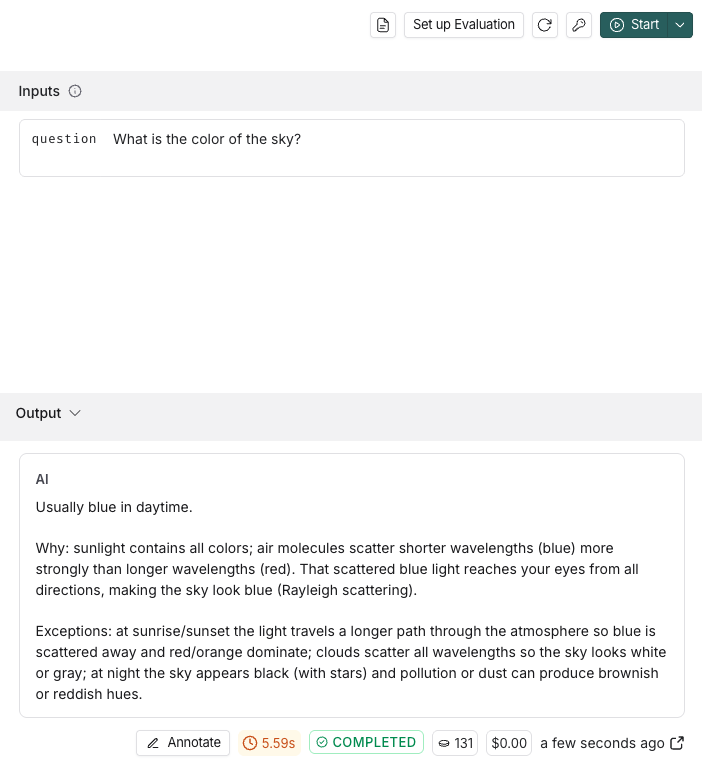
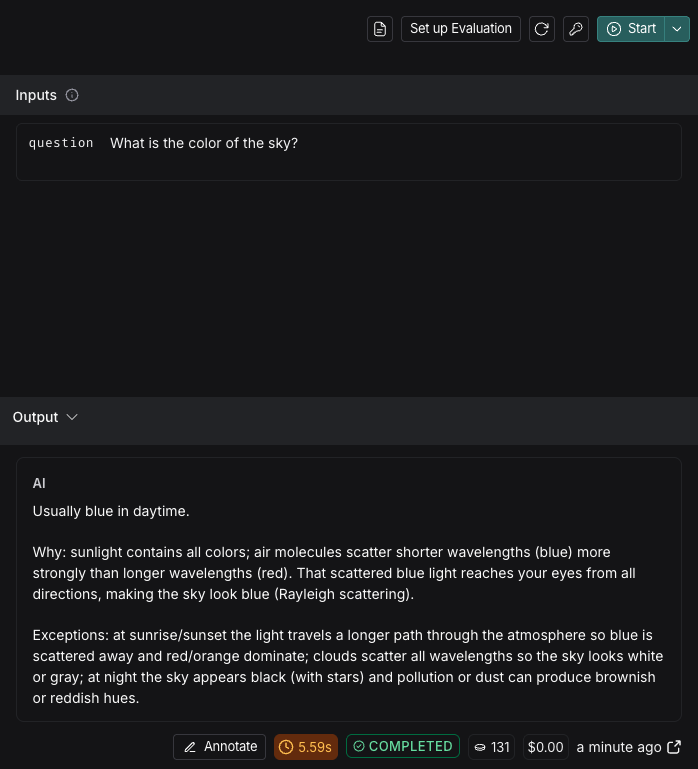
要了解在 Playground 中配置提示词的更多选项,请参考 配置提示词设置。
- 测试并完善你的提示词后,点击 Save 将其存储以备将来使用。
4. 迭代提示词
LangSmith 支持基于团队的提示词迭代。工作区 成员可以在 Playground 中试验提示词,并在准备好时将他们的更改保存为新的 提交。
要改进你的提示词:
- 参考你的模型提供商提供的文档,了解创建提示词的最佳实践,例如:
- 使用 Prompt Canvas(LangSmith 中的一个交互式工具)来构建和完善你的提示词。在 Prompt Canvas 指南 中了解更多信息。
- 标记特定的提交,以在你的提交历史中标记重要时刻。
- 要创建提交,请导航到 Playground 并选择 Commit。选择要提交更改的提示词,然后点击 Commit。
- 导航到左侧菜单中的 Prompts。选择提示词。进入提示词详情页面后,切换到 Commits 标签页。找到标签图标 以 Add a Commit Tag。
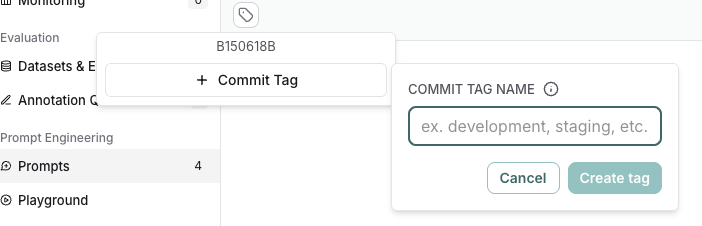
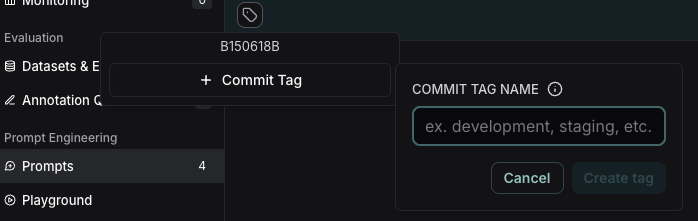
后续步骤
- 在 创建提示词指南 中了解更多关于如何使用 Prompt Hub 存储和管理提示词的信息。
- 在本教程中学习如何设置 Playground 以 测试多轮对话。
- 学习如何针对数据集而不是单个示例测试提示词的性能,请参考 从 Prompt Playground 运行评估。
在 Playground 中使用 Polly 来帮助优化你的提示词、生成工具和创建输出模式。