
主题
LangSmith 游乐场允许您使用自定义模型。您可以通过 LangServe(一个用于部署 LangChain 应用程序的开源库)部署一个模型服务器,以暴露您模型的 API。在后台,游乐场将与您的模型服务器交互以生成响应。
部署自定义模型服务器
为了方便起见,我们提供了一个示例模型服务器供您参考。您可以在此处找到示例模型服务器。我们强烈建议您以此示例服务器作为起点。
根据您的模型是指令式(instruct-style)还是对话式(chat-style)模型,您需要分别实现 custom_model.py 或 custom_chat_model.py。
添加可配置字段
通常,使用不同的参数配置您的模型会很有用。这些参数可能包括温度(temperature)、模型名称(model_name)、最大令牌数(max_tokens)等。
为了让您的模型在 LangSmith 游乐场中可配置,您需要在模型服务器中添加可配置字段。这些字段可用于在游乐场中更改模型参数。
您可以通过在 config.py 文件中实现 with_configurable_fields 函数来添加可配置字段。您可以:
python
def with_configurable_fields(self) -> Runnable:
    """Expose fields you want to be configurable in the playground. We will automatically expose these to the
    playground. If you don't want to expose any fields, you can remove this method."""
    return self.configurable_fields(n=ConfigurableField(
        id="n",
        name="Num Characters",
        description="Number of characters to return from the input prompt.",
    ))
在 LangSmith 游乐场中使用模型
部署模型服务器后,您就可以在 LangSmith 游乐场中使用它。进入游乐场,根据您的模型是对话式还是指令式,选择 ChatCustomModel 或 CustomModel 提供者。
输入 URL。游乐场将自动检测可用的端点和可配置字段。然后,您可以使用所需的参数调用模型。
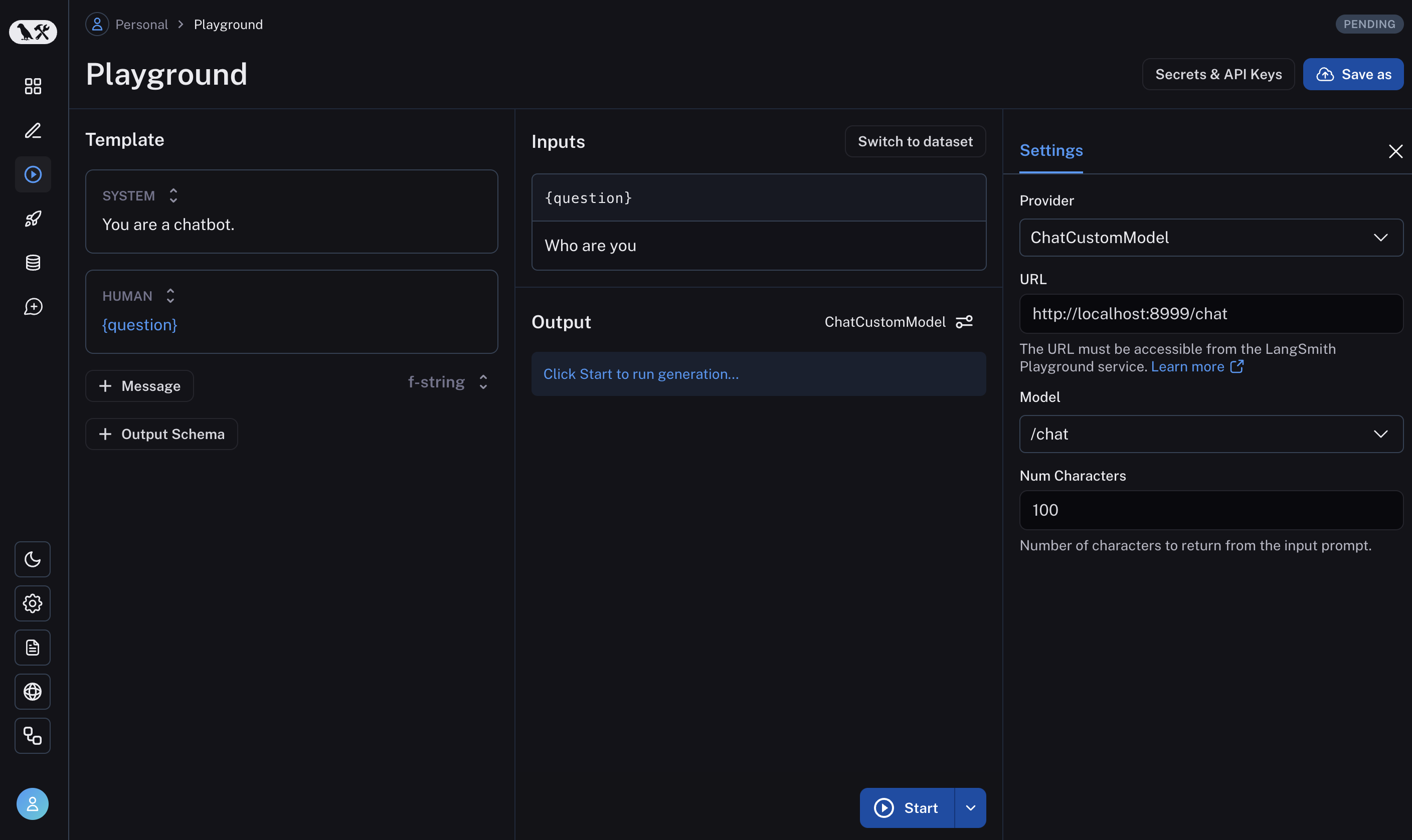
如果一切设置正确,您应该在游乐场中看到模型的响应,以及在 with_configurable_fields 中指定的可配置字段。
了解如何存储您的模型配置以供后续使用,请参阅此处。