
主题
本指南将介绍在使用自定义模型或自定义输入/输出格式时,如何将 LLM 调用记录到 LangSmith。为了充分利用 LangSmith 的 LLM 跟踪处理功能,您应该以指定的格式之一记录您的 LLM 跟踪。
LangSmith 为 LLM 跟踪提供以下优势:
- 消息列表的丰富、结构化渲染
- 每次 LLM 调用、每次跟踪以及跨时间跟踪的令牌和成本追踪
如果您没有以建议的格式记录 LLM 跟踪,您仍然可以将数据记录到 LangSmith,但它可能无法以预期的方式进行处理或渲染。
如果您使用 LangChain OSS 来调用语言模型或 LangSmith 包装器(OpenAI、Anthropic),这些方法将自动以正确的格式记录跟踪。
消息格式
在跟踪自定义模型或自定义输入/输出格式时,它必须遵循 LangChain 格式、OpenAI 补全格式或 Anthropic 消息格式。更多详细信息,请参阅 OpenAI Chat Completions 或 Anthropic Messages 文档。LangChain 格式如下:
示例
python
 inputs = {
  "messages": [
    {
      "role": "user",
      "content": [
        {
          "type": "text",
          "text": "Hi, can you tell me the capital of France?"
        }
      ]
    }
  ]
}

outputs = {
  "messages": [
    {
      "role": "assistant",
      "content": [
        {
          "type": "text",
          "text": "The capital of France is Paris."
        },
        {
          "type": "reasoning",
          "text": "The user is asking about..."
        }
      ]
    }
  ]
}
python
input = {
  "messages": [
    {
      "role": "user",
      "content": [
        {
          "type": "text",
          "text": "What's the weather in San Francisco?"
        }
      ]
    }
  ]
}

outputs = {
  "messages": [
    {
      "role": "assistant",
      "content": [{"type": "tool_call", "name": "get_weather", "args": {"city": "San Francisco"}, "id": "call_1"}],
    },
    {
      "role": "tool",
      "tool_call_id": "call_1",
      "content": [
        {
          "type": "text",
          "text": "{\"temperature\": \"18°C\", \"condition\": \"Sunny\"}"
        }
      ]
    },
    {
      "role": "assistant",
      "content": [
        {
          "type": "text",
          "text": "The weather in San Francisco is 18°C and sunny."
        }
      ]
    }
  ]
}
python
inputs = {
  "messages": [
    {
      "role": "user",
      "content": [
        {
          "type": "text",
          "text": "What breed is this dog?"
        },
        {
          "type": "image",
          "url": "https://fastly.picsum.photos/id/237/200/300.jpg?hmac=TmmQSbShHz9CdQm0NkEjx1Dyh_Y984R9LpNrpvH2D_U",
          # 除了 url,您也可以提供 base64 编码的图像
          # "base64": "<base64 encoded image>",
          "mime_type": "image/jpeg",
        }
      ]
    }
  ]
}

outputs = {
  "messages": [
    {
      "role": "assistant",
      "content": [
        {
          "type": "text",
          "text": "This looks like a Black Labrador."
        }
      ]
    }
  ]
}
python
input = {
  "messages": [
    {
      "role": "user",
      "content": [
        {
          "type": "text",
          "text": "What is the price of AAPL?"
        }
      ]
    }
  ]
}

output = {
  "messages": [
    {
      "role": "assistant",
      "content": [
        {
          "type": "server_tool_call",
          "name": "web_search",
          "args": {
            "query": "price of AAPL",
            "type": "search"
          },
          "id": "call_1"
        },
        {
          "type": "server_tool_result",
          "tool_call_id": "call_1",
          "status": "success"
        },
        {
          "type": "text",
          "text": "The price of AAPL is $150.00"
        }
      ]
    }
  ]
}
将自定义 I/O 格式转换为 LangSmith 兼容格式
如果您使用自定义输入或输出格式,可以使用 @traceable 装饰器(Python)或 traceable 函数(TS)上的 process_inputs/processInputs 和 process_outputs/processOutputs 函数将其转换为 LangSmith 兼容格式。
process_inputs/processInputs 和 process_outputs/processOutputs 接受允许您在特定跟踪记录到 LangSmith 之前转换其输入和输出的函数。它们可以访问跟踪的输入和输出,并可以返回包含处理后数据的新字典。
以下是如何使用 process_inputs 和 process_outputs 将自定义 I/O 格式转换为 LangSmith 兼容格式的模板示例:
在跟踪中识别自定义模型
使用自定义模型时,建议同时提供以下 metadata 字段,以便在查看跟踪和筛选时识别模型。
ls_provider:模型的提供商,例如 "openai"、"anthropic" 等。ls_model_name:模型的名称,例如 "gpt-4o-mini"、"claude-3-opus-20240229" 等。
python
from langsmith import traceable

inputs = [
    {"role": "system", "content": "You are a helpful assistant."},
    {"role": "user", "content": "I'd like to book a table for two."},
]
output = {
    "choices": [
        {
            "message": {
                "role": "assistant",
                "content": "Sure, what time would you like to book the table for?"
            }
        }
    ]
}

@traceable(
    run_type="llm",
    metadata={"ls_provider": "my_provider", "ls_model_name": "my_model"}
)
def chat_model(messages: list):
    return output

chat_model(inputs)
typescript
import { traceable } from "langsmith/traceable";

const messages = [
    { role: "system", content: "You are a helpful assistant." },
    { role: "user", content: "I'd like to book a table for two." }
];
const output = {
    choices: [
        {
            message: {
                role: "assistant",
                content: "Sure, what time would you like to book the table for?",
            },
        },
    ],
    usage_metadata: {
        input_tokens: 27,
        output_tokens: 13,
        total_tokens: 40,
    },
};

// 也可以使用以下格式之一:
// const output = {
//     message: {
//         role: "assistant",
//         content: "Sure, what time would you like to book the table for?"
//     }
// };
//
// const output = {
//     role: "assistant",
//     content: "Sure, what time would you like to book the table for?"
// };
//
// const output = ["assistant", "Sure, what time would you like to book the table for?"];

const chatModel = traceable(
    async ({ messages }: { messages: { role: string; content: string }[] }) => {
        return output;
    },
    {
        run_type: "llm",
        name: "chat_model",
        metadata: {
            ls_provider: "my_provider",
            ls_model_name: "my_model"
        }
    }
);

await chatModel({ messages });
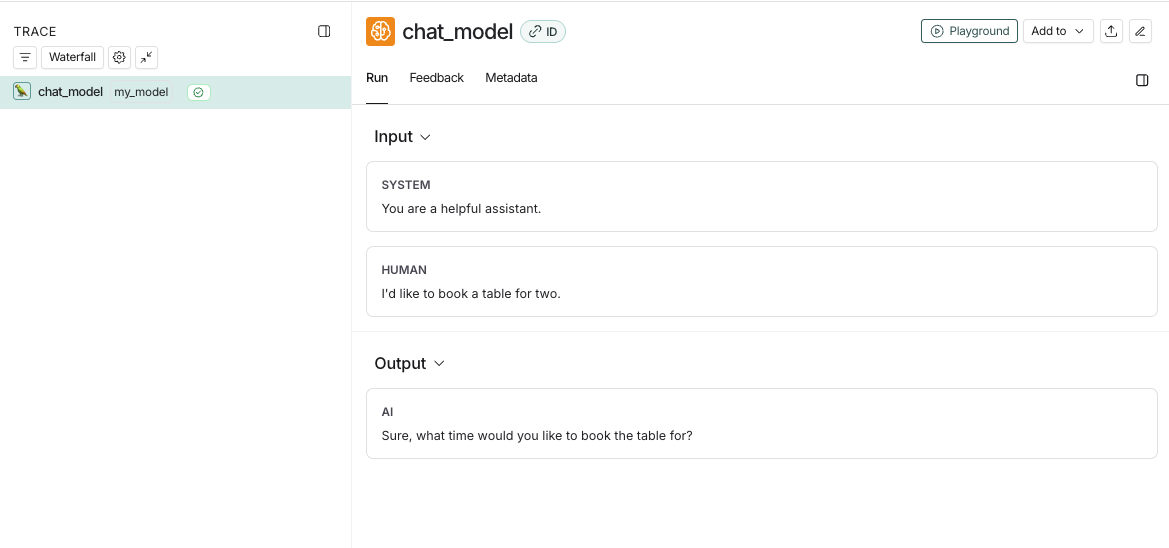
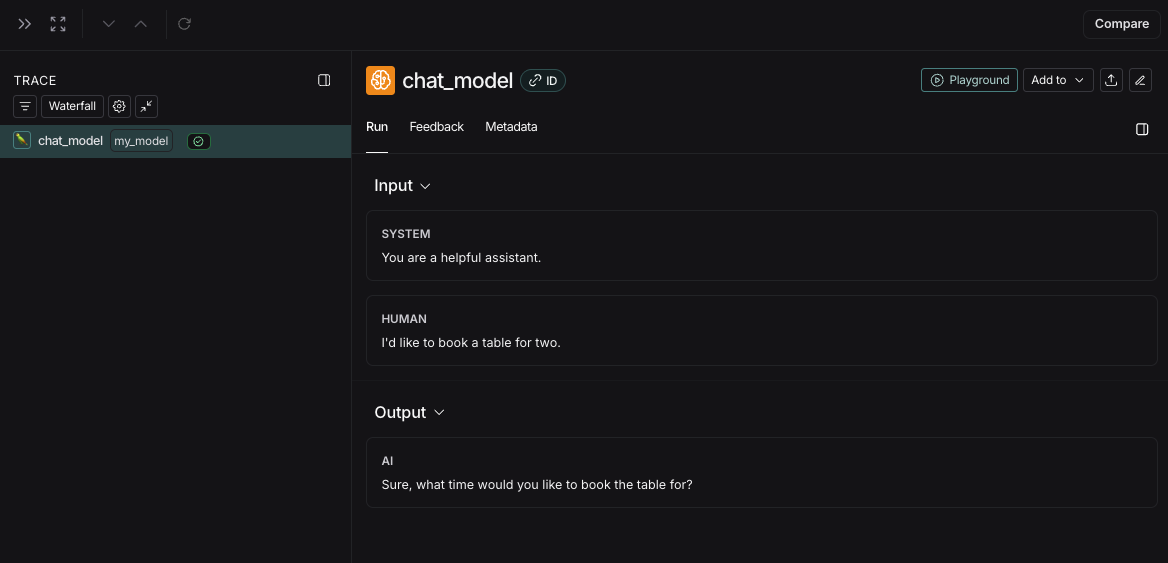
此代码将记录以下跟踪:
如果您实现了自定义的流式聊天模型,可以将输出“归约”为非流式版本的相同格式。目前仅 Python 支持此功能。
python
def _reduce_chunks(chunks: list):
all_text = "".join([chunk["choices"][0]["message"]["content"] for chunk in chunks])
return {"choices": [{"message": {"content": all_text, "role": "assistant"}}]}

@traceable(
run_type="llm",
reduce_fn=_reduce_chunks,
metadata